Endpoints
Endpoints were generated using Protocol Buffers (protobufs).They are hosted in the repository below:
https://buf.build/sethwan/ware-public/docs/main:public.v1
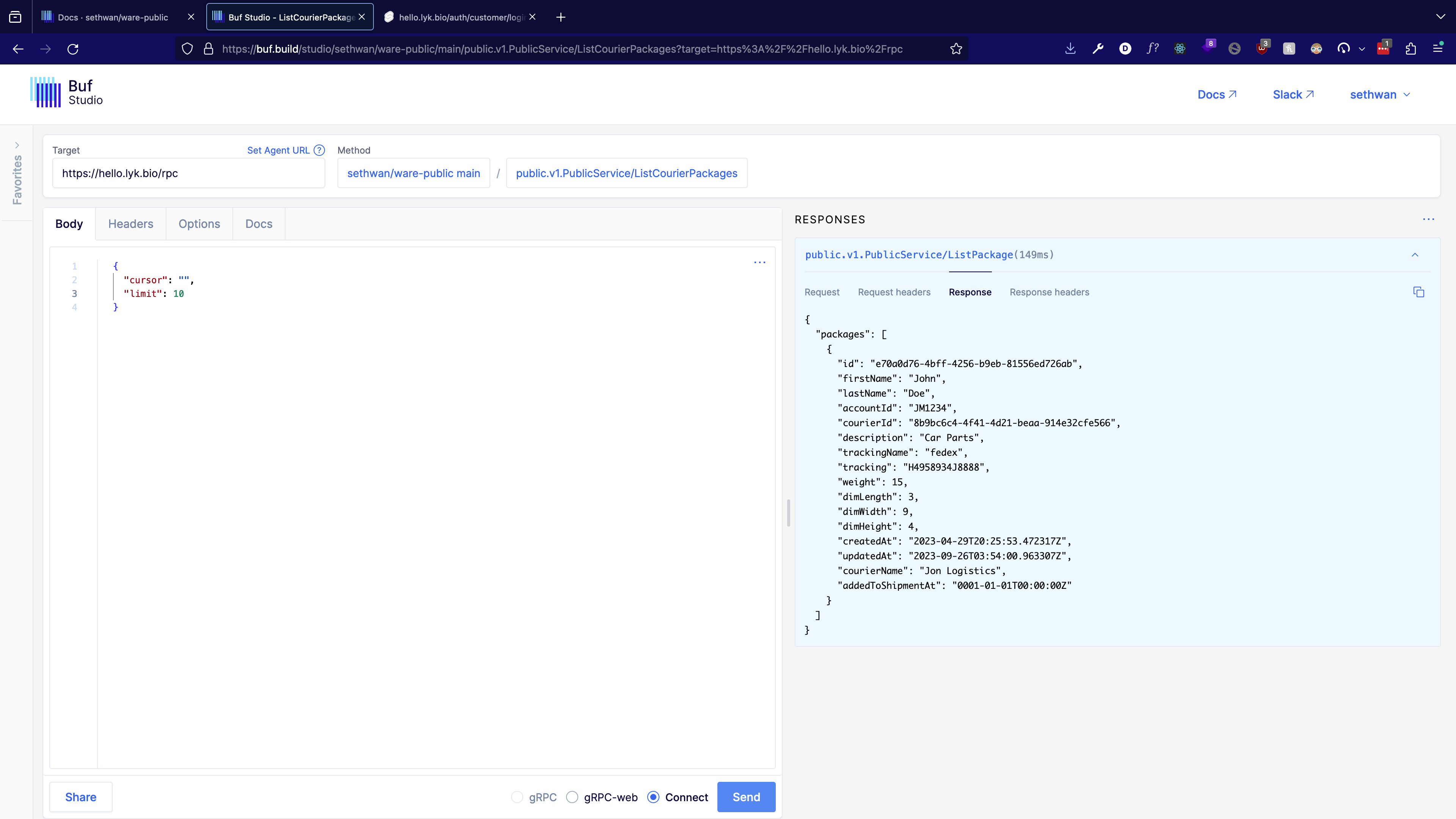
How to use api playground Buf Studio
You can use Buf Studio to interact directly with the api:
Buf Studio is an interactive web UI for all your gRPC and Protobuf services stored on the Buf Schema Registry. Buf Studio makes it easy to:
- Debug: Developers can use Protobuf definitions they have stored on the BSR to make requests to production servers, and understand the responses being returned.
- Develop: As you make changes to your APIs and/or business logic, you can validate them with real requests to your various testing/staging environments.
- Gain business insights: Buf Studio allows non-engineers to make requests against key APIs that can provide business intelligence, and save and share those pre-populated requests with teammates for common queries.
Steps:
-
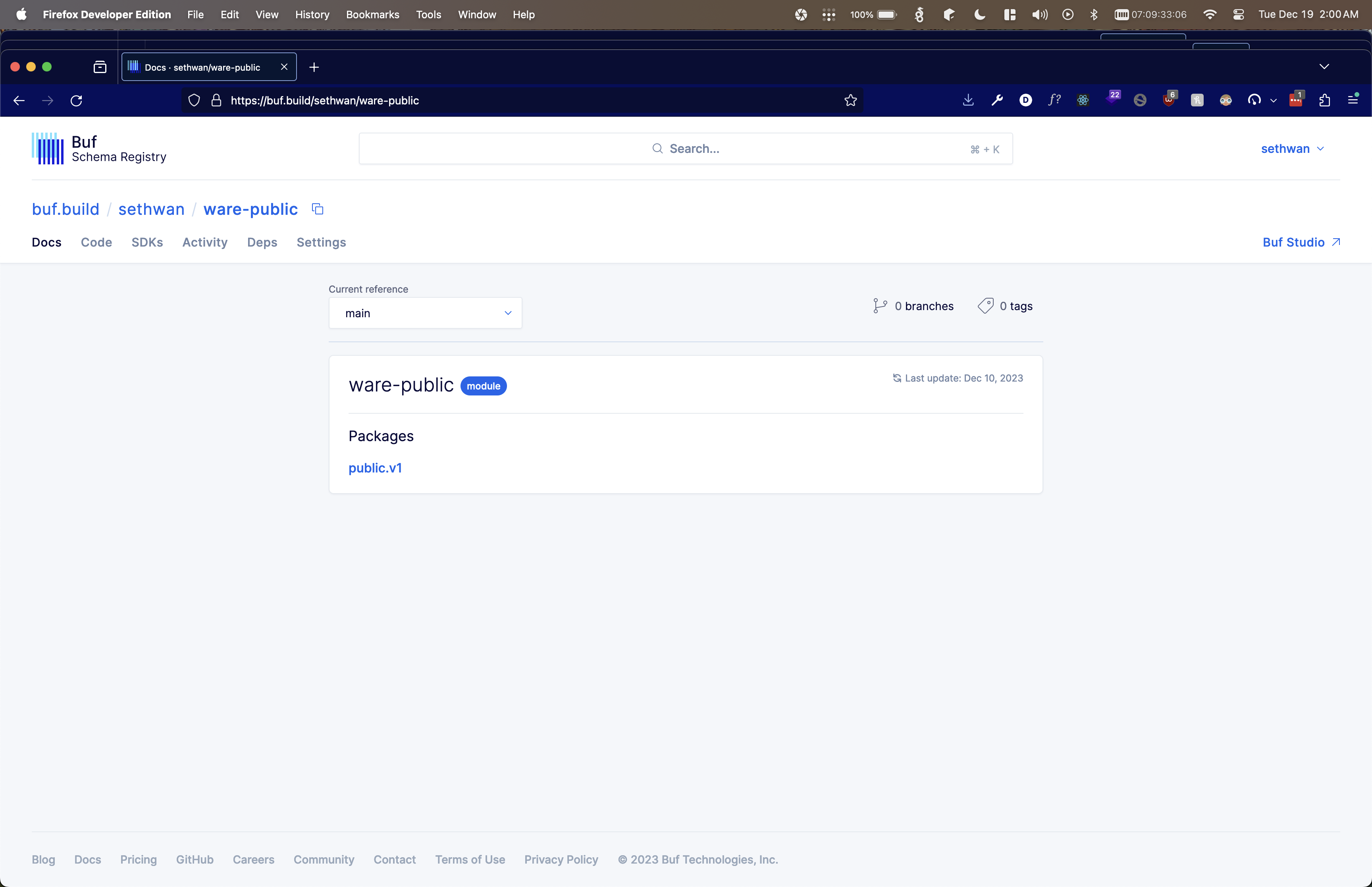
Navigate to repository https://buf.build/sethwan/ware-public
-
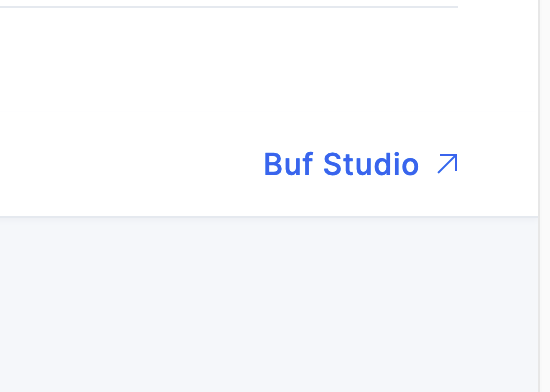
Click Buf Studio in right corner of the browser
-
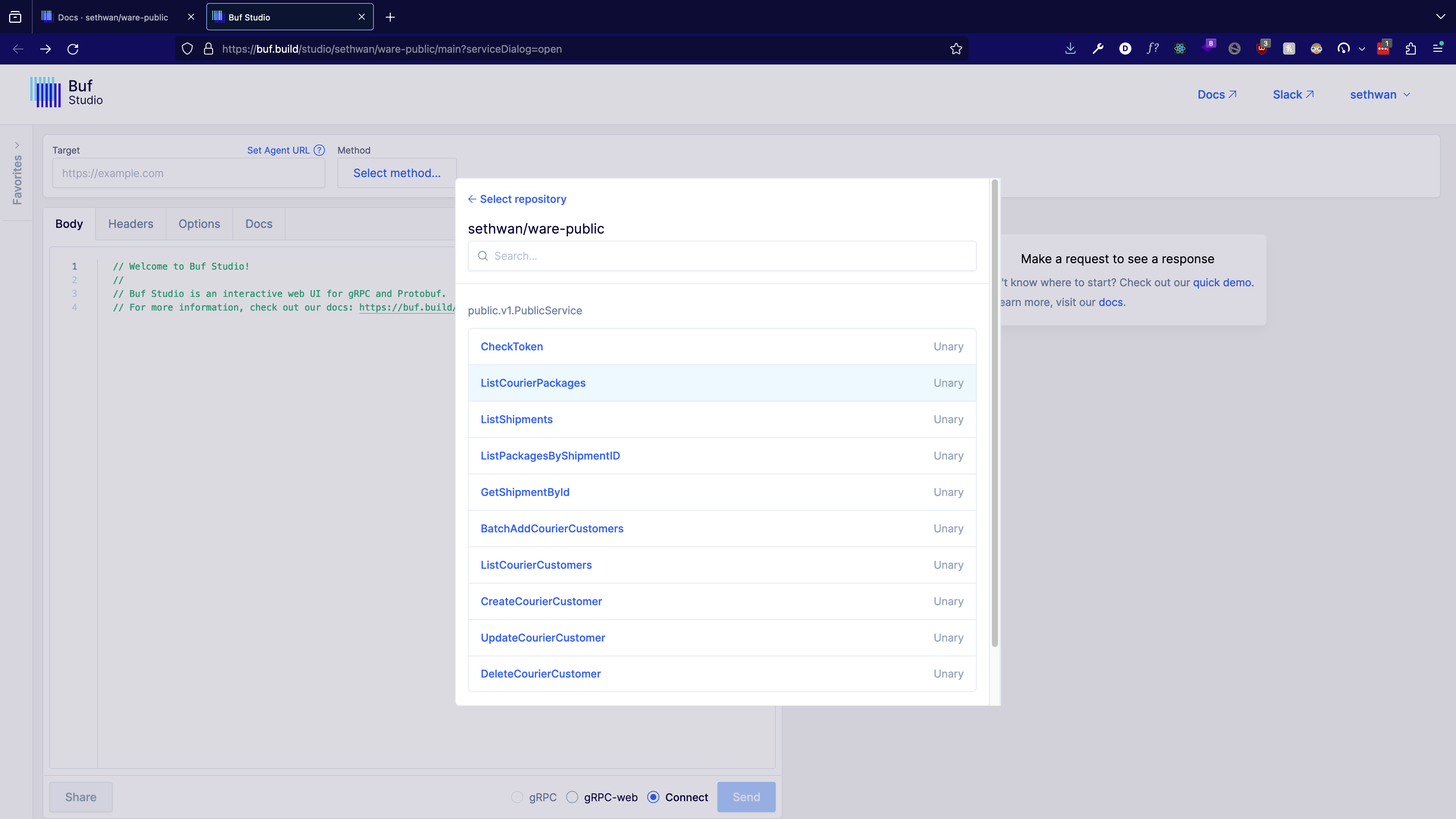
A Pop with endpoint functions will appear. Choose one.
-
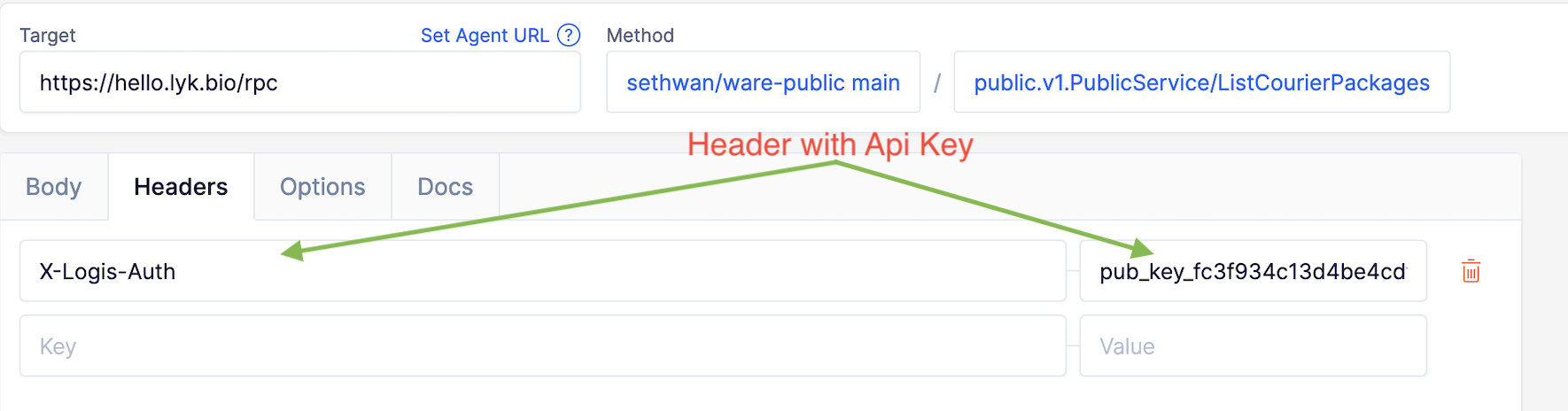
Enter the courier domain.
https://<YOUR_COURIER_DOMAIN>/rpc→Ex. htts//shipware.com/rpc

-
Add Header X-Logis-Auth with generated api key from dashboard to each request.
-
Send request.
REST API
All functions documented in repo and Buf Studio all translate to Rest endpoints. The format is as follows below
https://<COURIER_DOMAIN>/rpc/public.v1.PublicService/<RPC_CALL>
Example for ListCourierPackages rpc call using test domain https://shipware.com
https://shipware.com/rpc/public.v1.PublicService/ListCourierPackages
NB. The domain used in these examples does not belong to your warehouse. Please use the domain of your warehouse website to access the correct API endpoints.